20 short videos + a cheat sheet · built in Notion
ProPresenter Training That Plugs Right Into Your Notion
Give new volunteers 20 short videos to watch before Sunday and a cheat sheet to keep open during service, so they're not learning it live when the band counts off. It's all built as Notion pages, so it drops right into your workspace.
One-time $47 · duplicates into your Notion · volunteers open it from a link
- ✓Duplicate it into your Notion in one click
- ✓20 short videos, most under 5 minutes, with key points under each
- ✓A cheat sheet page for shortcuts, terms, and Sunday tips
New volunteers usually learn ProPresenter right before service
Someone new signs up. You stand behind their chair before service and start talking. Here's the clear button. Here are the Looks. This is the playlist. You're halfway through the stage screens when the drummer counts off.
Everything you didn't get to, they learn live.
Then a typo shows up mid-song, and nobody told them what to do.
Next month someone else signs up, and you start over.
Your volunteers can learn this. They need to see it before Sunday.
Built in Notion
Every lesson becomes a page in your Notion
Click Duplicate, and the videos, key points, and cheat sheet copy into your workspace as regular Notion pages. From there they work like anything else you keep in Notion.
1Put it next to what you already have: team notes, checklists, service plans, or wherever your ProPresenter info lives now.
2Edit it like any other page. Add your church's gear notes, reorder the lessons, or link straight to the section someone needs.
3Publish the page and send one link. Volunteers watch on a phone or laptop without an account.
Next time someone new signs up, send them the link on Tuesday. They can watch a few lessons before they ever sit down in the booth.
Videos to learn it. A cheat sheet to run it.
The videos
Watch before Sunday
20 short lessons that go from the basics to running a full service. This is the deeper training, the part that's hard to cover while the band is warming up.
The cheat sheet
Keep open during service
One Notion page with the shortcuts, terms, and tips a volunteer needs in the moment. Each section opens with a tap, so they find the answer and get back to the service.
After watching, a new volunteer will know how to
1Move through the service with the keyboard, and clear the screen fast when they need to
2Build the Sunday playlist: songs, videos, announcements, and the sermon
3Put lyrics up on time, and follow the worship leader when the song changes
4See what's going to each screen, and why something might be missing from one
5Use the macros you've already set up, so one click switches the Looks and stage screens together
6Tell which settings to leave alone
Volunteer Cheat Sheet
The cheat sheet lives in your Notion too
It's a regular Notion page, so it goes wherever your team already looks. Drop it onto the page your ProPresenter team uses, or keep it open on a phone or tablet at the booth. Everything sits in sections they tap to open, so the page stays short until they need something.
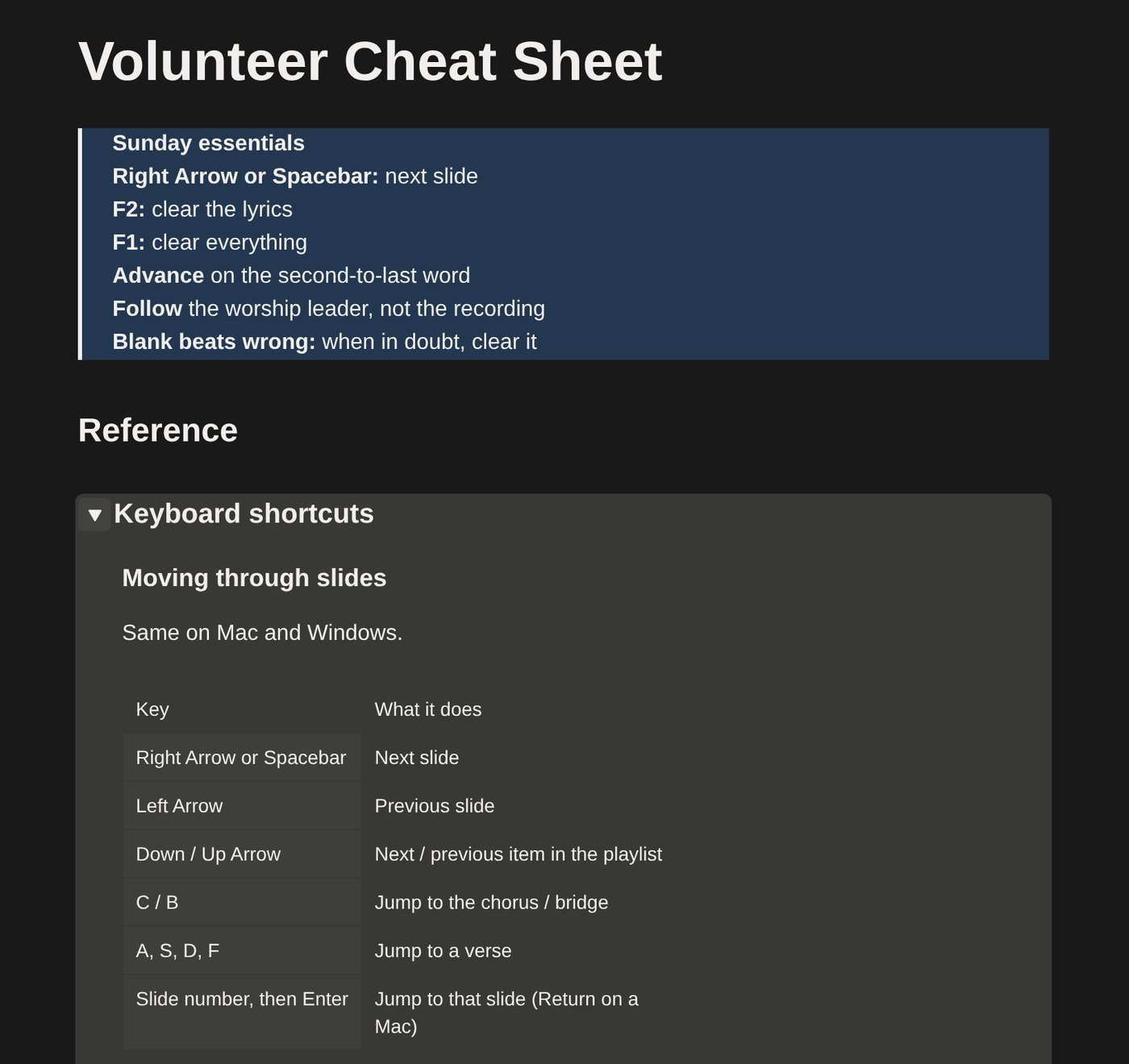
What's on it:
- ✓Keyboard shortcuts. Moving through slides, clearing the screens, and getting around, for Mac and Windows.
- ✓39 terms in plain words. Looks, layers, arrangements, macros, props, and the rest of what they'll hear in the booth.
- ✓Screen layout. Where the clear buttons, Looks, media bin, and editors are.
- ✓Sunday tips. Before service, during worship, sermon and announcements, and after service.
- ✓If something goes wrong. What to do about a blank screen, a missing layer, a yellow "!", or a typo mid-song.
- ✓Leave these alone. The settings a volunteer shouldn't change unless you ask.
20 videos · 4 sections
What's inside
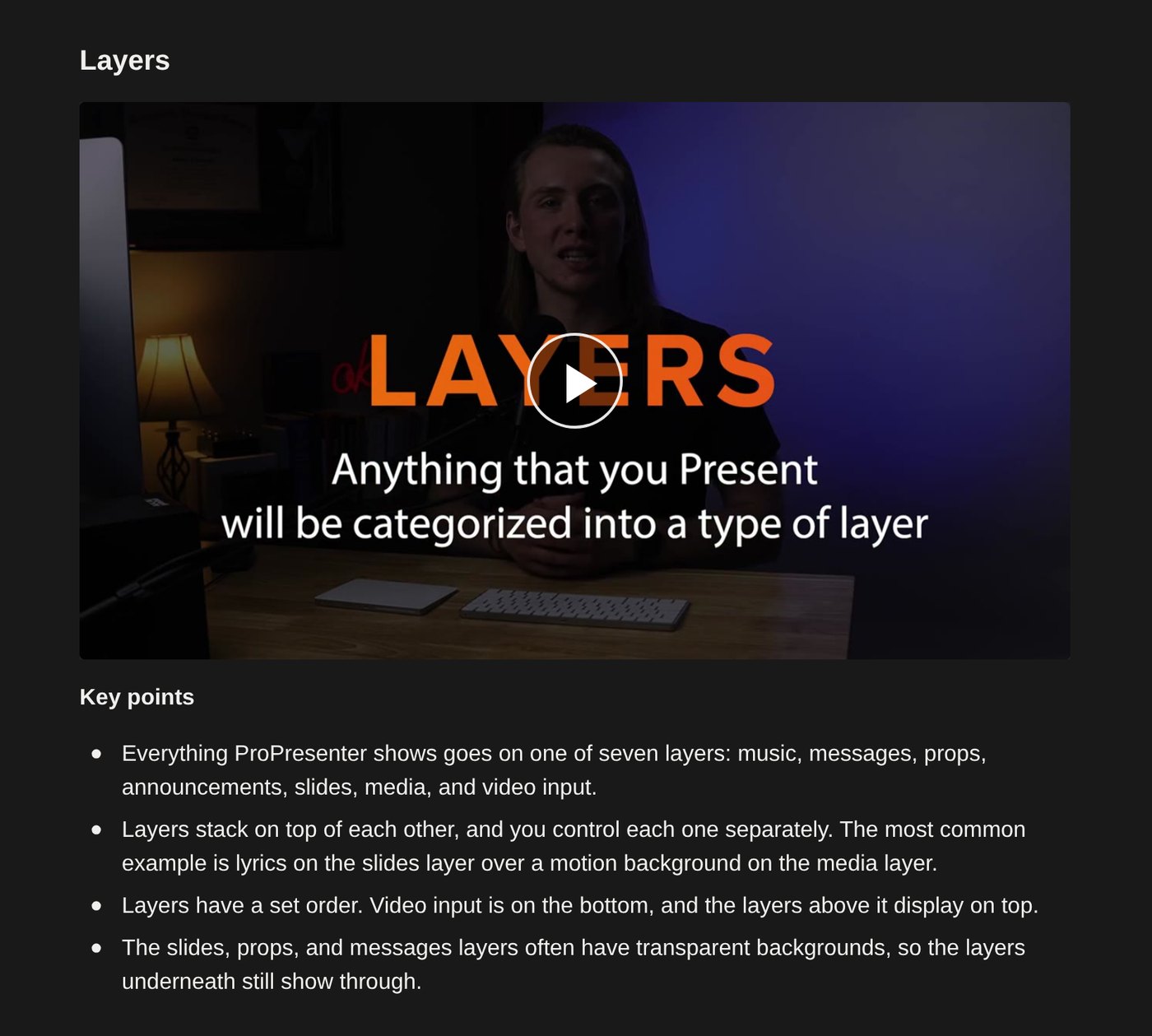
The Basics (5 videos)
Finding Your Way Around (5 videos)
Building the Sunday Playlist (7 videos)
Running the Service (3 videos)
Volunteer Cheat Sheet
Everything for $47
- ✓20 short videos in four sections, about 77 minutes total
- ✓Key points written under every video
- ✓The Volunteer Cheat Sheet: Mac and Windows shortcuts, 39 terms, Sunday tips, and what to do when something goes wrong
- ✓Steps to duplicate it into your Notion and share it with your team
- ✓One-time payment, and it's yours to keep in your Notion
Pay once, add it to your Notion, and send the link to every new volunteer from here on.
Get the Training for $47Good fit if
- Your church runs ProPresenter with volunteers
- You keep notes, checklists, or team info in Notion, or want to start
- You're the one who trains new people
Not a fit if
- You need to build Looks, stage layouts, and macros from scratch. The Volunteer Workflow training covers that.